
The remote work landscape in 2026 presents an abundance of opportunities for professionals seeking flexibility, balance, and independence. While transitioning to a remote career offers significant benefits, the initial cost of purchasing a high-speed computer, noise-canceling headsets, and other necessary office hardware can be a barrier for many job seekers. Fortunately, many forward-thinking employers offer work from home jobs that provide equipment, helping you start your new career without upfront expenses. These companies send all necessary tech assets directly to your door before your official start date.
Finding a remote employer that provides hardware is a highly smart way to launch your career. It removes the stress of upgrading your personal laptop to meet strict technical specifications, allowing you to focus on training and onboarding. If you are exploring broader remote career options, checking out our list of legit ways to make money from home can provide helpful background. However, for structured corporate roles, targeting companies that supply your workspace hardware is the most reliable path. In this comprehensive guide, we will outline the top remote job categories, the specific companies that supply technology, and how to avoid online job scams.
In this guide, we will break down the essential details of equipment-providing remote jobs. We will discuss the business reasons behind this practice, the exact types of tech kits you can expect, and how to spot fraudulent job listings online. By targeting verified employers and utilizing structured job networks, you can secure a secure remote role and set up a productive, professional workspace at zero cost.

Why Some Remote Companies Provide Free Home Office Equipment
Many job seekers wonder why companies spend thousands of dollars to ship high-end hardware to entry-level remote workers. The reality is that supplying equipment is a highly practical business decision for modern corporate organizations. Rather than acting as a simple employee perk, providing hardware serves as an essential compliance, productivity, and recruitment strategy that protects the company’s core operations.
Data Security and Compliance Requirements
The primary driver behind company-provided equipment is cybersecurity. When remote employees use their personal computers for work, they expose the company to significant risks, such as malware, data leaks, and unauthorized access to customer records. By supplying corporate-owned laptops pre-configured with secure Virtual Private Networks (VPNs), firewalls, and monitoring software, IT departments can enforce strict security policies. This control is critical in industries handling sensitive personal data, such as banking, insurance, and healthcare administration.
Reducing Employee Turnover and Boosting Morale
Providing essential equipment is also a powerful tool to attract and retain high-quality talent. When a company ships a complete, high-quality home office kit directly to a new hire, it creates an immediate sense of trust and professional commitment. It demonstrates that the company is invested in the employee’s day-to-day success and comfort. This professional onboarding experience reduces early turnover rates, increases work performance, and ensures new team members have the exact tools needed to complete their daily tasks from day one.

Top Job Categories That Offer Free Work-From-Home Tech
While remote hardware provision is common, it is not standard across every freelance or contract gig. The practice is typically concentrated in specific professional industries that demand highly structured workflows, strict security protocols, and constant communication. By focusing your job search on these sectors, you can significantly increase your chances of finding an employer that supplies your tech.
Customer Support and IT Help Desk Roles
Customer service and technical support representatives are the most common remote employees to receive company-supplied equipment. Because these roles involve handling sensitive customer data, processing billing transactions, and using complex software, employers must supply secure workstations. Additionally, these positions require specialized communication gear, such as high-quality USB headsets and dedicated dual monitors, to handle call queues and support tickets. Providing the exact hardware setup ensures representatives can assist customers efficiently without technical delays.
Remote Corporate Recruiting and HR Administration
Human resources and recruiting professionals handle a large volume of confidential files, including background checks, employment contracts, and tax documents. To protect candidate privacy, corporations supply HR staff with secure, encrypted laptops. Recruiting teams also require high-speed communication tools to conduct video interviews and manage database records. Supplying standardized webcams, headsets, and laptops ensures HR coordinators can represent their corporate brand professionally during onboarding and interviews.
Software Development and High-End Tech Operations
For technical roles like software engineering, database management, and digital product design, companies must supply high-performance hardware. Standard consumer laptops are simply not powerful enough to run local code environments, compile programs, or process massive datasets. Tech employers provide engineers with high-end developer workstations, such as top-tier Apple MacBooks, secondary high-resolution monitors, and ergonomic keyboards. Supplying specialized gear ensures tech teams can operate efficiently without hardware limitations.

Top Companies That Regularly Provide Laptops to Remote Workers
When searching for work from home jobs that provide equipment, targeting established, large-scale employers is your best strategy. These major corporations have built dedicated remote onboarding structures and possess the shipping logistics to send hardware kits anywhere in the country. Several major companies hire remote workers on a regular basis.
Amazon (Virtual Customer Service Onboarding)
Amazon is one of the largest employers of remote customer service representatives globally. Through its Virtual Customer Service (VCS) program, the company regularly hires customer support associates to manage orders, shipping inquiries, and refunds. Amazon ships a complete remote work kit directly to your home. You can review active customer support openings directly on the Amazon Jobs portal, which typically includes a secure thin-client computer, dual monitors, a keyboard, a mouse, and a USB headset. The onboarding process is highly structured, allowing new hires to plug in their hardware and start training immediately. Amazon also covers shipping fees for any replacement devices if your tech requires maintenance or hardware upgrades during your employment.
Apple (At-Home Advisor System)
Apple is famous for its remote support network, known as the At-Home Advisor system. Advisors answer customer questions, troubleshoot hardware issues, and assist with software setups. Apple supplies all advisors with an iMac or MacBook. Interested candidates can apply via the Apple Careers page, a high-quality headset, and a dedicated workspace training manual. The company even pays a monthly internet stipend to offset the cost of high-speed home connectivity. Apple’s remote onboarding program is widely considered a gold standard in the industry, offering comprehensive training and tech support.
CVS Health (Healthcare Administration Tech Kits)
As a leader in the healthcare space, CVS Health hires thousands of remote patient care coordinators, billing specialists, and customer service staff. Because healthcare records are protected by federal privacy laws, CVS Health supplies all remote employees with secure, company-managed laptops, secondary monitors, and encrypted routing hardware. The company’s IT team assists with setup, ensuring remote workers can access patient portals safely and in compliance with healthcare regulations. CVS Health also provides virtual training sessions. Explore their available remote openings on the official CVS Health Careers site during the first week of onboarding to help remote workers configure their corporate VPNs, ensuring everyone is comfortable with their system before handling live patient information. You can search for these active roles on specialized job boards outlined in our guide on the best work-from-home websites to find verified remote jobs.

What Equipment Can You Expect From Remote Employers?
The specific items included in your remote work kit will vary depending on your job duties, industry, and corporate budget. However, most equipment-providing employers supply a standard package designed to ensure basic operational capability and security. Understanding what is typically included helps you prepare your home workspace for arrival.
Standard Workplace Hardware Packages
For standard administrative and customer service roles, you can expect a comprehensive baseline tech package. This kit usually features a secure laptop or desktop computer, a USB webcam for video meetings, a noise-canceling headset, a keyboard, and a mouse. Many employers also ship one or two secondary 24-inch monitors to improve display space and productivity. The computer will arrive preloaded with all necessary software, security firewalls, and communication tools (such as Slack or Microsoft Teams), allowing you to log in and start working immediately.
Creative and Development Workstation Gear
For specialized roles in graphic design, video editing, or software engineering, employers supply high-performance creative kits. These packages include high-end computing hardware, such as professional MacBooks, along with color-accurate high-resolution monitors, graphic drawing tablets, and premium noise-canceling headphones. Technical teams also receive secure access to enterprise development software and cloud testing platforms. Supplying these specialized tools ensures creative professionals can produce high-quality work without hardware performance bottlenecks.

How to Spot and Avoid Work-From-Home Equipment Scams
The high demand for work from home jobs that provide equipment has unfortunately led to a rise in online job scams. Fraudsters create fake job postings on social media and career boards, pretending to represent household brands. By understanding their tactics, you can protect your personal information and bank account from these digital scams.
The Classic Fake Check and Reimbursement Scam
The most common remote job scam involves the “equipment check” trick. The scammers offer you a job quickly, often without a phone interview, and send you a digital check. They instruct you to deposit the check into your bank account and use the funds to buy office equipment from their “approved vendor.” A few days later, the bank discovers the check is fraudulent and reverses the deposit, leaving you responsible for any money sent to the fake vendor. Remember: authentic employers will never send you a check to purchase equipment; they will ship the actual physical hardware directly to your address at no cost to you.
Direct Verification Tactic for Authentic Openings
To verify the authenticity of a remote job offer, always verify the listing directly with the company’s official corporate channels. Avoid communicating with recruiters who use generic email domains, such as Gmail or Yahoo, rather than official company domains. Check the company’s official “Careers” page to confirm the job exists. If you receive an offer, call the company’s main HR department directly to confirm. Taking these steps protects you from scams, ensuring your remote job search remains safe. Reading the FTC remote job scam guide offers additional protection against common online frauds and focused on legitimate, verified remote employers.
Tax Rules and Allowances for Ergonomic Home Workspace Setups
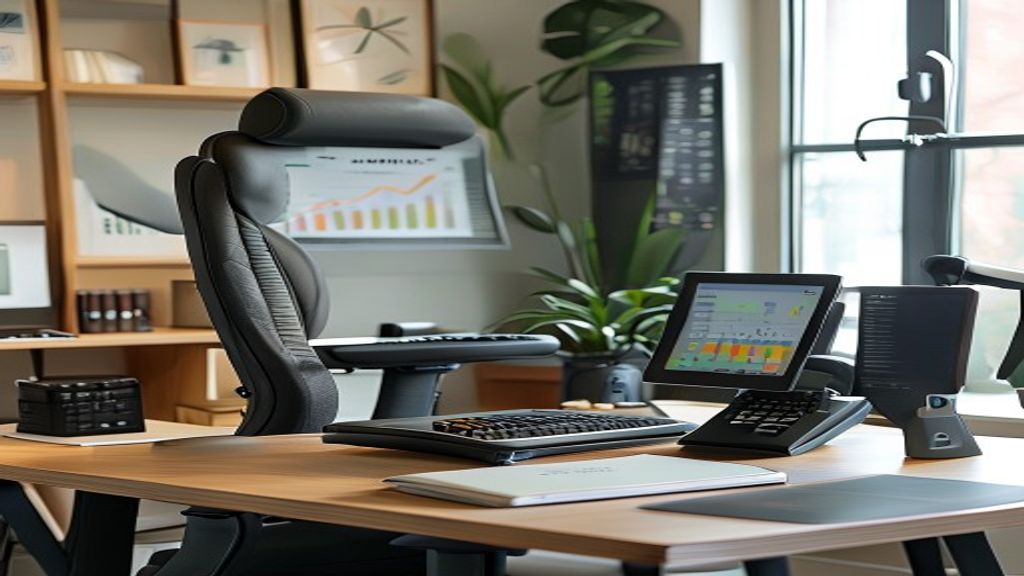
While companies provide core computer hardware, you are typically responsible for setting up your physical workspace environment, including your desk and chair. In 2026, many remote employers offer financial support to help you set up an ergonomic, comfortable workspace. Understanding these tax rules and stipends helps you maximize your home office budget.
Standard Stipends and Workplace Expense Allowances
Many remote employers offer a one-time home office setup stipend, ranging from $200 to $1,000, to help you buy furniture. These stipends let you purchase an ergonomic chair, a standing desk, or desk organizers. Additionally, some companies provide a monthly internet and phone allowance to cover connectivity costs. These stipends are typically processed as tax-free reimbursements or added directly to your paycheck, helping you build a professional workspace without personal expense. You can track these allowances using the strategies in our guide on how to make a budget.
Allocating Budget for Ergonomic Comfort
When you receive a home office stipend, prioritize purchasing high-quality ergonomic furniture. Sitting in a poorly designed chair for eight hours a day can lead to back pain and fatigue, reducing your work productivity. Invest in an adjustable office chair that provides lumbar support, and consider a sit-to-stand desk converter to help you stay active throughout the workday. Designing a clean, ergonomic workspace reduces physical strain, improves your daily focus, and helps you sustain a long-term, successful remote career.

Conclusion: Setting Up for Remote Success
Finding a work from home job that provides equipment is an excellent way to start your remote career. By targeting verified employers like Amazon, Apple, or CVS Health in customer service, HR, and technical fields, you can secure a professional role without spending money on expensive tech upgrades. Remember to avoid common recruitment scams and prioritize setting up an ergonomic, comfortable workspace.
Once you secure your remote job and set up your workspace, use this opportunity to establish strong financial habits. Focus on managing your income, and try fun activities like money saving challenges to build your savings. Setting up your remote career with the right tech and solid financial practices builds the foundation for long-term professional and personal growth.